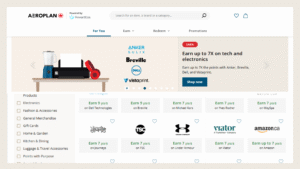

Aeroplan Family Sharing makes it easy for families to earn and redeem Aeroplan points for flights and travel together with loved ones.
Aeroplan is one of the most versatile frequent-flyer programs in Canada. Air Canada’s network connects you to almost every part of the world.
If Air Canada doesn’t fly to your destination, you still have plenty of options. You can redeem Aeroplan points with one of 48 partner airlines, including all Star Alliance members.
You’ll earn plenty of Aeroplan points faster with Aeroplan credit cards. Plus, with American Express Membership Rewards cards, you can transfer to Aeroplan at a 1:1 ratio.
You’ll reach your next trip faster when everyone contributes to the same pool of points. Flying Blue’s family account works in a similar way, letting members pool points for shared rewards.
Here’s how to make the most of the Aeroplan Family Sharing.
What Is Aeroplan Family Sharing
The Aeroplan Family Sharing feature lets up to eight Aeroplan members pool their Aeroplan points together.
If you travel with family or share earning opportunities, setting up an Aeroplan family pool is one of the easiest ways to make earning and redeeming points even better.
It’s free to set up, and it doesn’t have to be your immediate family only. You can invite people who aren’t traditional family members to your Aeroplan pool.


Business Award Concierge
Have a business? Book a complimentary call to see how our done-for-you Business Award Concierge can turn your business expenses into $50K luxury travel.
Limited spots available.

Business Award Concierge
Have a business? Book a complimentary call to see how our done-for-you Business Award Concierge can turn your business expenses into $50K luxury travel.
Limited spots available.
Earning Points with Aeroplan Family Sharing
Once anyone joins who joins the family Aeroplan pool, all points from their Aeroplan account go into the shared pool.
Points earned before joining are added automatically to the Aeroplan Family Sharing.
You’ll see one shared total, making it easy to earn Aeroplan points together and reach reward flights faster.
Best Aeroplan Credit Cards

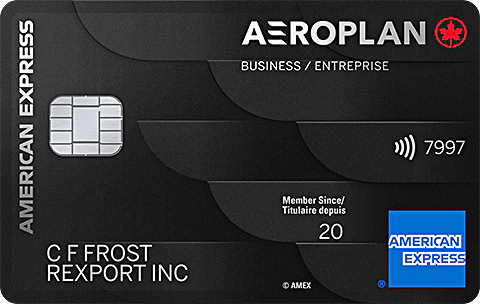
Best Primeum Aeroplan Business Card
Annual Value: $1,505
Annual Fee: $599
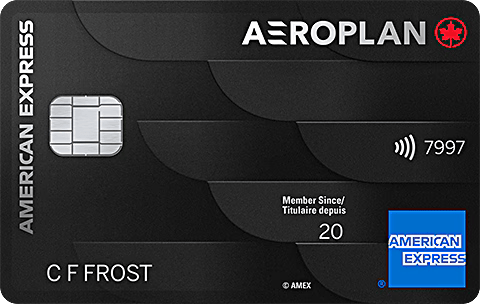
Best Primeum Amex Aeroplan Card
Annual Value: $1,505
Annual Fee: $599

Best Mid-Tier Business Aeroplan Card
Annual Value: $705
Annual Fee: $149
Best Mid-Tier Aeroplan Card
Annual Value: $705
Annual Fee:$139. 1st Year Rebate




Redeeming Points with Aeroplan Family Sharing
Aeroplan Family Sharing helps you reach the number of points needed to redeem for flights faster.
When anyone in the Aeroplan Family Account redeems, points are used from everyone based on their share.
If someone in the group holds an Aeroplan credit card or has Aeroplan Elite Status, everyone gets preferred pricing on flights. Helping the whole family save on points redemptions and travel sooner.

The AWP Newsletter
Travel more using points
Get my free beginner guide and weekly tips on credit cards, points, and travel loyalty programs.
The AWP Newsletter
Travel more using points

Get my free beginner guide and weekly tips on credit cards, points, and travel loyalty programs.
How to Set Up an Aeroplan Family Sharing
You can set up an Aeroplan Family Sharing in just a few minutes. It’s free, simple, and everything is done online.
You’ll need an Aeroplan account first, and each person you invite must have one too.
Here’s how to set it up:

AWP TIP
You’ll need to have each Aeroplan account for at least six months before adding it to Aeroplan Family Sharing. That’s one more reason to set up all your family’s loyalty accounts as soon as possible, preferably now.

Top Offers
Wondering which credit card to get next?
Our recommendations for the best credit card offers in Canada for September 2026.
Top Offers
Wondering which credit card to get next?
Our recommendations for the best credit card offers in Canada for September 2026.
Managing Aeroplan Family Sharing
The member who sets up the family pool becomes the head of the pool.
You’ll want to be thoughtful about when and whom you add. Once someone joins, they’ll need to stay for at least three months and can’t have been part of another pool in the past six months.
You’ll need to call Aeroplan to remove anyone from your Family Sharing group.
Everyone in the pool can redeem points by default, but as the head of the pool, you can change redemption privileges for each member.


The AWP Community
Get more tips & ideas for travelling with points.
Join the AWP community to get guidance, updates, and practical tips on using points for travel.
The AWP Community
Get more tips & ideas for travelling with points.
Join the AWP community to get guidance, updates, and practical tips on using points for travel.
Bottom Line
You’ll find plenty of value in setting up an Aeroplan Family Sharing account. It’s free to set up, and it doesn’t have to be your immediate family. You can invite up to seven other family members.
The Aeroplan family pool helps families reach reward flights sooner by pooling their points.
Plus, if someone in the group holds an Aeroplan credit card or has Aeroplan Elite Status, everyone gets preferred pricing on flights, helping the whole family save and travel sooner.